
If you are searching for the best AI tools for students, coding, business, productivity, content creation, or marketing in 2026, this guide will help you understand which AI tools are actually useful. Over the last year, I personally explored and tested many AI-powered tools while working on websites, content writing, and digital marketing projects. Some AI tools genuinely improved my workflow and productivity, while others felt overhyped. In this article, I’ll share practical insights, real-world examples, and beginner-friendly explanations to help you choose the right AI tools for your needs.
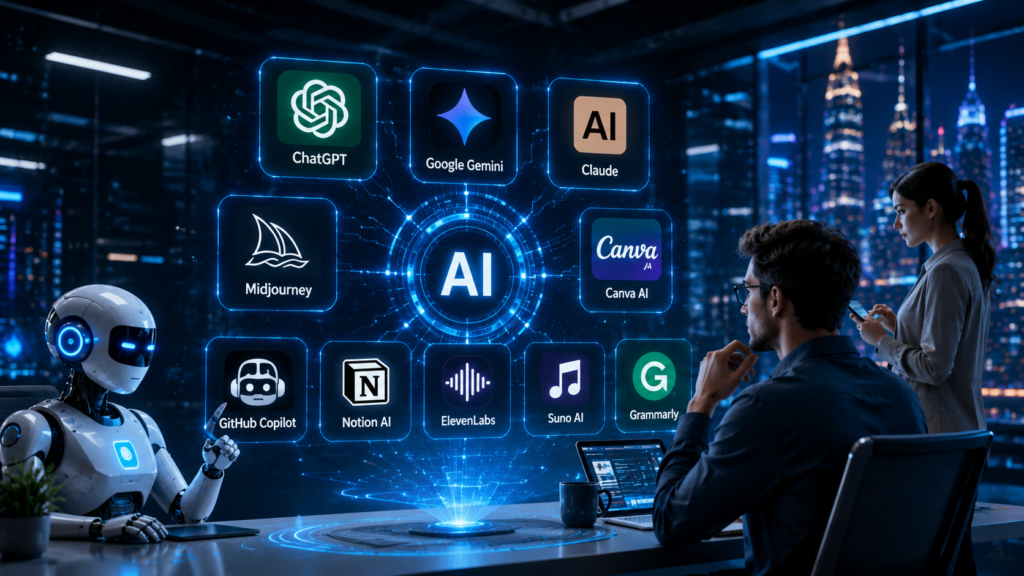
Ready or not, AI tools are reshaping how we work, create, and learn. In 2026, what seemed like sci-fi even a few years ago is now everyday reality. From writing emails to designing products, AI-based software assistants are in our inboxes, in our apps, and on our desks. Workers report skyrocketing AI adoption – Deloitte finds “worker access to AI rose by 50% in 2025,” and two-thirds of companies already see big productivity gains.
I remember when I first experimented with ChatGPT and thought, “This changes everything.” Today I rely on AI daily: to summarize reports in minutes, draft marketing copy, or even automate tedious data tasks. We’re at a tipping point. Globally, generative AI tools reached 53% population adoption in just three years – faster than smartphones or the internet did.
In short, AI literacy is no longer optional..
Image AI is already in classrooms and corner offices. In education, over 80% of students use AI for learning; in business, Salesforce touts that “AI CRM” platforms touch every workflow. The pace of progress means the future is here: I’ve seen colleagues draft client proposals with Copilot in minutes, and students use AI tutors for personalized study guides. So let’s dive into what AI tools really are, how they work under the hood, and how different audiences – from corporate teams to creators to students – can leverage them. We’ll also cover the must-know ethics and privacy best practices so you and your users can trust and verify every AI output.
Best AI Tools Comparison Table for Beginners in 2026


What Are AI Tools & How Do They Actually Work?
At their core, AI tools are software applications powered by advanced machine-learning models. In practice, that means you give them a prompt or command, and they “understand” your request and generate an output – a paragraph of text, a piece of code, a design mockup, or even a video. For example, ChatGPT uses a large language model (LLM) such as OpenAI’s GPT-4 or GPT-5.5 to turn your questions into detailed answers.
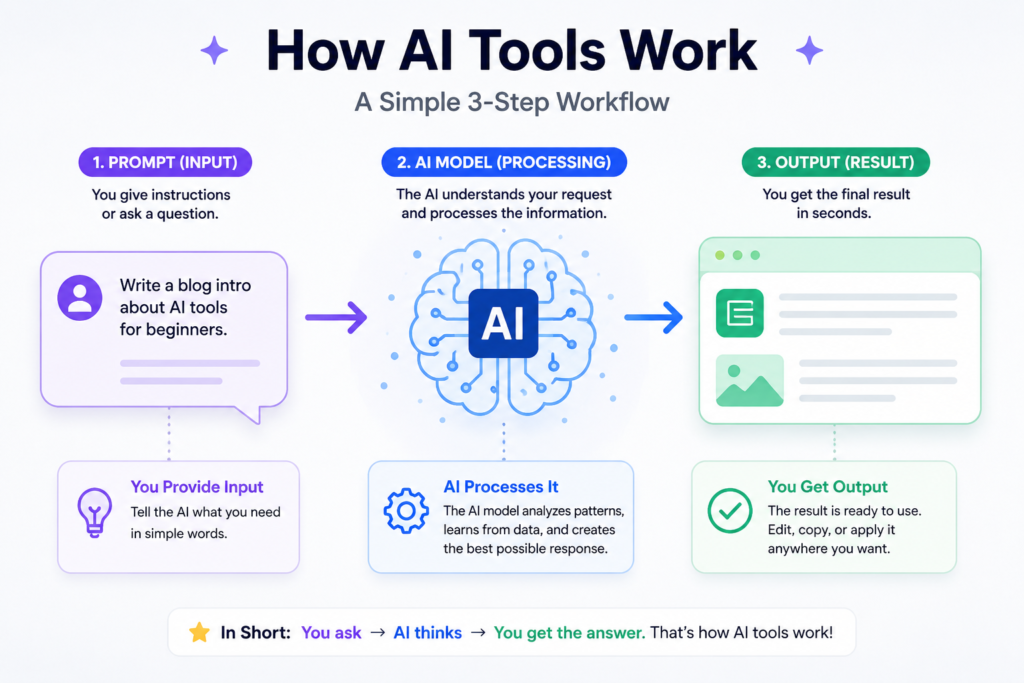
Google’s Gemini model can accept text, code, images, audio, and video as input, and generate responses across all those media types. These models are trained on huge datasets (books, code libraries, images, etc.) and refined to follow instructions. Think of it like having a very smart apprentice who’s read every Wikipedia article, every coding manual, and seen millions of images and learned to mimic them..
AI tools come in many flavors. Some focus on text (ChatGPT, Claude, Jasper AI), some on images (DALL-E, Midjourney, Adobe Firefly), others on code (GitHub Copilot, AWS CodeWhisperer) or video (OpenAI’s Sora, Runway Gen2/3). In practice, they all work by running your input through neural networks and returning a result that best matches what you asked. For example, ChatGPT (an AI chatbot) is basically GPT-4 or GPT-5.5 under the hood – and OpenAI describes GPT-4 as “their most advanced system, producing safer and more useful responses” than earlier versions. In everyday terms, it means the AI can hold a fairly coherent conversation, answer factual questions, and even generate creative text.
Below is a simple breakdown of common AI tool categories:
Text Generators: These take your text prompt and continue it. For example, you might ask for an email draft or a story outline. GPT-based chatbots (ChatGPT, Google Bard, Claude) and content platforms (Jasper, Rytr) fall here. They are essentially giant autocomplete systems trained on tons of text.
Image/Art Generators: Tools like Midjourney or DALL-E turn words into images. For instance, you could prompt “a futuristic office in 2040” and get a computer-generated scene. Behind the scenes, these use image-generation models (like diffusion models) to create visuals from scratch or edit your photos. Midjourney’s latest models (V8.x in 2026) are much faster and more detailed than earlier ones.
Code Assistants: These help programmers by suggesting code snippets, filling in functions, or even debugging. GitHub Copilot, for example, “works in your editor… from explaining concepts and completing code, to proposing edits and validating files”. AWS’s CodeWhisperer similarly “generates real-time… code suggestions in your IDE”. The AI model predicts the next lines of code based on context, speeding up repetitive tasks.
Data/Analysis Tools: Some AIs can read data and help you analyze it. Think of a spreadsheet assistant that not only creates formulas but also explains what the data means. OpenAI’s newer models can even analyze raw data tables or help write SQL queries. Google’s Vertex AI and products like Microsoft Power BI Copilot integrate AI to summarize reports or craft queries in plain language.
Video/Audio Generators: A newcomer in 2026, models like OpenAI’s Sora can generate or edit short videos from text prompts. Audio tools can create music or voiceovers. These tools are still maturing, but already they show that we’ll soon be able to say “make a 30-second video of our product demo” and get it automatically.
Task-Specific Agents: Some platforms let you build AI agents that can use other apps for you. For instance, an AI agent could plan your travel by searching flights, drafting itineraries, and sending invites on your behalf. These leverage LLMs plus “tools” (APIs to other services) to execute multi-step tasks autonomously. Companies like Google and Salesforce are building enterprise agent platforms so businesses can customize these AI workers.
In simple terms, AI tools feel like having a helper that often knows way more than you, but isn’t human. They answer questions, generate content, or perform tasks by predicting the most plausible output. They’ve been trained with billions of examples (books, code, images) so that they “know” the patterns. For example, DALL-E 3 (an image AI by OpenAI) was explicitly trained to “exactly adhere” to your text prompts and even integrates with ChatGPT so you can improve your prompt iteratively. That means you can refine an idea with the AI’s help. And behind these tools, there are often layers of safety and correctness checks. For instance, GPT-5.5 was designed to be smarter but also “with our strongest safeguards yet” against generating bad content.
Image: A futuristic robotic hand interacts with a digital network, symbolizing AI’s integration with human tools. AI models like ChatGPT and Gemini power these tools. Google’s Gemini Ultra, for instance, is billed as “the most capable and general model we’ve ever built,” excelling in both text and vision tasks. These AI brains run on powerful cloud servers (or even on-device “small” versions on phones). When you use an AI tool, your request goes to that model in the cloud, which computes a response and sends it back. It can feel magical, but it’s really just very advanced pattern-matching.
In practice, you use an AI tool via a user interface or API. For example, ChatGPT Plus lets you pick between GPT-4 and GPT-5.5 models. As OpenAI notes, GPT-5.5 “understands what you’re trying to do faster” and can handle messy multi-step instructions – effectively planning and checking its work with less prompting from you. As a user, you might say: “GPT, draft an email to remind my team about the meeting, mention the data trends report, and suggest time slots.” The AI will (ideally) do that entire task end-to-end. That’s the power of these agentic AI tools: they can chain together steps. Still, they occasionally make mistakes or need a nudge, which is why human oversight remains crucial (more on that later).
In summary, AI tools in 2026 are software powered by huge neural networks. They can generate text, images, code, or even actions on your behalf, by recognizing patterns in data. We’ll see how each field (corporate, creative, development, education) applies them specifically in the next sections.
Best AI Tools for Business & Productivity in 2026
In the boardroom and the back office, AI tools are no longer experimental — they’re mission-critical. I’ve talked to managers who watched Copilot draft spreadsheet formulas from natural-language requests, or contract lawyers who used LLMs to summarize agreements. The bottom line: AI is accelerating enterprise work. For example, Deloitte reports that 66% of organizations using AI see productivity/efficiency gains. Companies are embedding AI everywhere to gain that edge.

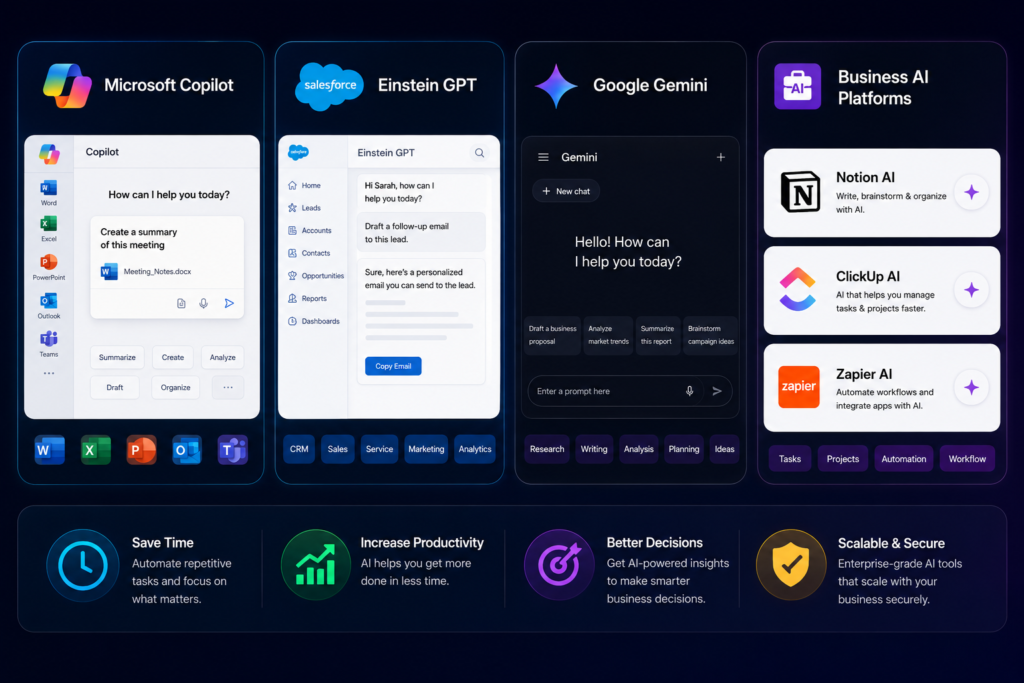
One big category is AI-powered office software. Microsoft 365 Copilot (for Word, Excel, PowerPoint, Outlook, etc.) can draft emails, analyze calendars, or even generate entire presentations based on a topic. Microsoft now says over 430 million people use M365 and “more than 90% of Fortune 500 companies” are on board with Copilot. In practice, this means I can ask Copilot in Outlook to “summarize all unread emails with action items,” or in Excel to “create a chart of sales by region,” and it does it. Copilot’s chat version even has your inbox and calendar context now, and can leverage AI agents for each app. Imagine asking your AI to create a slide deck: Copilot can generate bullet points, pull charts, and check grammar, all in one go.
Sales and marketing departments are also using AI at scale. Take Salesforce’s Einstein GPT, for instance. Salesforce describes it as “the world’s first generative AI CRM”, meaning it can generate personalized content across every sales, service, and marketing task. In concrete terms, a sales rep can ask Einstein GPT to draft a customized email to a client, summarize customer data, or generate follow-up messages that match the brand voice.
During demos, Salesforce highlights how Einstein GPT, powered by LLMs, writes code snippets or email responses by pulling from live data. Internally, Salesforce processed over 11 trillion LLM tokens to train these business AI agents. On the marketing side, tools like Jasper (acquired by Company X) or SurferSEO help generate blog posts and optimize them for Google – I’ve used one to crank out draft ad copy in minutes, which I then quickly edited..
In strategy and data analytics, AI is transforming decision support. I’ve seen CFOs use AI models to forecast revenue by simply describing scenarios (“assume 10% more advertising spend in Q3”) instead of wrestling with formulas. Google’s Vertex AI (as part of Gemini Enterprise) gives companies “access to more than 200 of the world’s leading models”.
In practice, that means an enterprise on Google Cloud can tap not only Google’s Gemini 3.x models but also open models (like Gemma 4) and partner models (Anthropic’s Claude, Meta’s LLaMA, etc.) via a single platform. A business might use these to analyze customer sentiment from reviews, do risk assessments, or even prototype product ideas using AI agents.
For example, an AI agent could pull the latest market reports, write a summary, and flag any strategic points – much faster than a person doing it manually..
In HR and recruiting, AI tools scan resumes and suggest candidates. For instance, tech recruiters often use software that highlights resumes containing key skills; modern tools go further by chatting with candidates through AI-driven pre-screen interviews. Even routine tasks like scheduling and note-taking are automated: Slack’s ChatGPT integration (Slack GPT) or Zoom’s AI Companion can summarize meetings, translate chats, or set up polls with a simple prompt. Agentic AI is coming for logistics too: imagine telling your corporate AI agent “book me a flight to Paris next week, find a hotel with good reviews, and send me an itinerary,” and it does so autonomously by interfacing with travel APIs (Google and AWS have prototypes of this).
Throughout my career, the biggest change I’ve seen is mindset: executives no longer ask if they should adopt AI, but how fast. Companies report that “AI is delivering on efficiency and productivity,” with twice as many leaders noticing transformative impact compared to last year. The key is to train teams on these tools and ensure data quality. Most enterprises I know are running hybrid work routines where AI co-pilots sit side-by-side with employees.
Key Corporate AI Tools:
Microsoft 365 Copilot: AI built into Office apps. Draft docs, analyze emails/calendars, build spreadsheets. Used by 430M+ users.
Salesforce Einstein GPT: AI assistant for CRM (sales, service, marketing, IT). Generates personalized emails, case responses, product descriptions. Works with Slack and OpenAI integration.
Google Gemini/Vertex AI: Enterprise AI platform with Google’s latest models and third-party LLMs. Used for data analytics, document search, agent building.
IBM Watson Discovery/Orchestrate: Search internal documents and automate tasks (e.g. HR onboarding flows).
Industry-Specific AI: Banks use AI for fraud detection; retailers use AI for demand forecasting; manufacturers use AI for predictive maintenance.
Bottom line for businesses:
AI tools are now essential for digital transformation. They let teams automate routine work, gain insights from data, and accelerate innovation. My advice to any corporate leader: start small but start now – experiment with a department or a project, measure the gains, and scale up. The companies leading today are already treating AI as just another strategic resource (like electricity or the internet).
Best AI Tools for Content Creators, Writers & Designers
As a content creator myself, I’ve watched AI change the playbook. Just like spellcheck and photo filters once did, modern AI tools amplify our creativity. Generative AI for text and art has matured. I still remember the first time I asked ChatGPT to draft a blog intro – it took seconds and was eerily on-point. Today, tools like Notion AI, Jasper, or Copy.ai are common collaborators for writers and marketers. For example, Jasper (now rebranded or owned by OpenAI partner) offers a platform where you input article topics and it outputs draft paragraphs, outlines, or even social media posts. Many bloggers use AI to produce the first draft and then edit for voice. The end result is a huge time-saver.
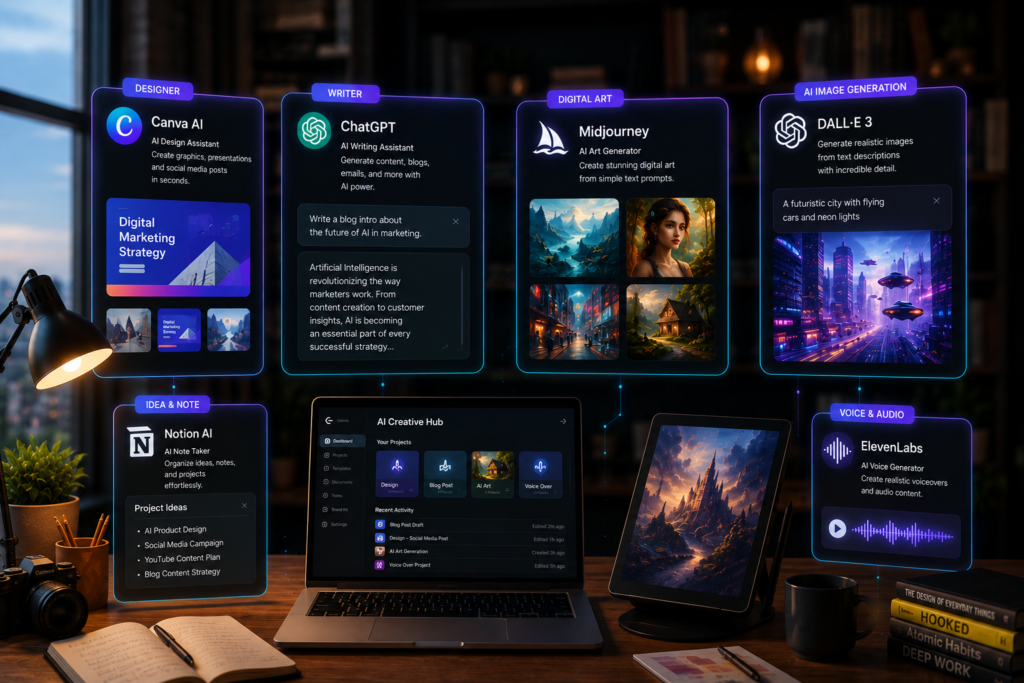
For designers and artists, AI image generators are game-changers. Tools like Midjourney and DALL-E 3 let you create stunning visuals with a text prompt. Imagine I want an album cover with a neon cyborg – I type that in and get dozens of unique images. Midjourney’s latest version (in 2026) is up to 4–5 times faster than its earlier models and produces crisp 2K images by default. DALL-E 3 (accessible via ChatGPT for Plus users) is designed to “follow instructions” so it’s very literal and accurate. I’ve used DALL-E 3 for concept sketches: it’s so detailed that it can even read prompts embedded in images. After I get an AI-generated image, I often take it into Photoshop or Illustrator and refine it.
Video creation with AI has arrived too. Startups and majors alike have tools that can animate or generate videos from text. OpenAI’s research model Sora can create a full minute of video from a text description. Other services like Runway or Synthesia make it easy to produce marketing videos: you type a script, pick a virtual presenter or scene style, and the AI generates it. I’ve played with these tools to make explainer videos for my YouTube channel – giving the AI a storyboard, it produced draft footage that I then polished.
Beyond raw generation, there are content planning and SEO tools. As an example, consider SurferSEO or MarketMuse (content planning platforms): they use AI to suggest article outlines and keyword usage to rank on Google. A writer might input a topic, and the tool outputs the high-level structure and focus keywords, saving hours of research.
Key Creative AI Tools:
ChatGPT/GPT-5.5: Beyond chat, it can help brainstorm ideas, write outlines or dialogue, critique your drafts, and even role-play an editor. OpenAI says GPT-5.5 excels at writing and debugging, so it’s great for drafting docs and websites.
Midjourney / DALL-E 3 / Stable Diffusion: AI image generators. Midjourney specializes in artistic, stylized images (fantastical art, concept visuals). DALL-E 3 excels at precise scene generation and integrates with ChatGPT for refining prompts. Stable Diffusion (open-source) is used by many designers to create variations on a theme. These images are all royalty-free to use.
Adobe Firefly / Canva AI: These design apps have built-in AI. For instance, I can type “generate a modern logo for a coffee shop” into Adobe Illustrator’s Firefly and get editable vector designs. Canva now lets even novice creators generate banners or social posts by describing them.
Video AI (Sora, Runway, Synthesia, Pictory): Turn text into short videos or voiceovers. Sora can animate 3D-like scenes from prompts. Synthesia creates AI avatars that speak your script, popular for corporate training videos.
Music and Audio (AIVA, Soundraw): AI that composes music tracks or background scores. I used one to generate calm background music for a video, tweaking style parameters until it matched the mood.
Podcasting/Audio editing (Podcastle, Descript): Tools that can auto-transcribe, remove filler words, or even clone voices.
ElevenLabs is widely known for its realistic AI voice generation and voice cloning technology, allowing creators to create natural-sounding narration, audiobooks, and multilingual voiceovers. I’ve personally noticed that many YouTubers and marketers now use ElevenLabs to produce professional-quality audio without hiring voice actors.
Suno AI focuses on AI-generated music creation. With just a simple text prompt, Suno can generate complete songs, background music, vocals, and instrumentals in different moods and styles. Content creators increasingly use Suno AI to create royalty-free music
In creative fields, AI often acts like a co-pilot. It suggests ideas or does the drudge work, letting humans add the final flair. For example, if I’m writing a novel, I might prompt ChatGPT with a scene and ask it to continue from a character’s point of view; I’ll then edit to infuse my unique style. Or as a marketing manager, I might feed bullet points into an AI and have it draft several email subject lines, then pick the catchiest one. Because I use AI so much in my workflow, I’ve learned its quirks. Sometimes it hallucinates facts (e.g. invents a statistic), so I double-check important points.
Text from the experts backs this up. Salesforce’s study notes that creative professionals “deliver innovation” through AI at scale (it listed “improving products/services and fostering innovation” as a benefit). And as AI image tools improve, artists are already experimenting: some graphic designers use Midjourney or Stable Diffusion to quickly generate mood boards or drafts, then iterate.
One exciting trend in 2026 is AI plug-ins and custom “GPTs”. For instance, ChatGPT’s platform allows users to create specialized assistants for their niche – say, an “editing GPT” trained on style guides, or a “fashion stylist GPT” that knows current trends. I’ve tinkered with building a GPT that knows my personal writing preferences; it can almost finish my sentences the way I would, by learning from my old blog posts.
In short, whether you write, draw, animate, or design, there’s probably an AI tool to help. The key is to think of AI as your creative collaborator, not a replacement. It can speed up tedious parts of the process and even spark new ideas I wouldn’t have had. But the authentic vision still comes from you.
Best AI Coding Tools for Developers in 2026
For software developers and tech professionals, AI has become a digital partner. I remember the first time I let GitHub Copilot suggest a whole function for me – it felt like pairing with a world-class coder. Fast forward to 2026, and coding assistants are everywhere. GitHub Copilot is now a standard IDE extension. Microsoft advertises it as your “AI pair programmer” in VS Code.
As GitHub itself describes, “Copilot in your editor does it all, from explaining concepts and completing code, to proposing edits and validating files”. In practice, if I write a comment like // implement quicksort, Copilot can fill in the JavaScript or Python code automatically. When I’m stuck, I might ask it to suggest a test case or even rewrite a code block in a cleaner way.

The latest AI models have supercharged coding. For instance, Anthropic’s Claude Opus 4.7 (released in 2026) is specifically tuned for complex software tasks. Tests quoted by Anthropic show it’s a “significant leap” over the last version, handling even the hardest coding problems with more accuracy. One developer said Opus 4.7 was “game-changing: accelerating development velocity” by catching its own logical mistakes. In benchmarks, Opus 4.7 improved performance by 13% over Opus 4.6 on coding tasks. In plain terms, that means you can hand the AI a messy, multi-step coding assignment and it’s more likely to churn out working code without you micromanaging. I’ve tried Claude 4.7 on a full-stack feature; it even suggested better database queries that I hadn’t thought of.
Beyond writing code, AI is debugging and reviewing it. Tools like DeepCode/CodeQL (now GitHub’s secret Scans) use AI to spot security holes or inefficiencies automatically. Stack Overflow’s AI (now integrated into their developer assistant) can answer tricky questions by pulling from millions of Q&A threads. Even tools like Postman now have AI-driven API testing features. I sometimes paste an error log into ChatGPT to get suggestions, or use AI to rephrase error messages into actionable steps.
And developers themselves use AI to learn. With AI, junior devs can ask “explain this code in simple terms” and get step-by-step answers, or get personalized tutoring on tricky concepts. In fact, a Stanford report notes that coding models like GPT now perform at human-expert levels on professional tasks. The gap is closing.
Key Developer AI Tools:
GitHub Copilot: Suggests and autocompletes code inside your editor. Supports dozens of languages.
AWS CodeWhisperer: AI code companion in IDEs, tuned for AWS services.
OpenAI Codex/GPT: Through OpenAI’s API, developers can integrate GPT to write scripts or automation. GitHub’s AI search (semantic code search) also falls here.
Replit Ghostwriter: For online coding, includes AI code help and explanations.
Tabnine: An AI code completion tool that supports every language and IDE.
Anthropic Claude (via API): Many organizations integrate Claude for code generation/debugging on their own servers or clouds. It’s praised for reasoning through logic.
One big benefit is these AI tools learn from code patterns, so they often suggest not just any solution, but best-practice solutions. I recall writing a recursive function and Copilot suggested tail-call optimization I didn’t initially consider. Another advantage is learning on the job: as I accept or reject suggestions, the AI can adapt (especially personalized copilots like those in ChatGPT Enterprise).
However, I always double-check critical code. AI can hallucinate or use outdated APIs, so a knowledgeable human in the loop is necessary. Industry best practices stress this: the OECD AI principles explicitly call for “capacity for human agency and oversight” over AI systems. I often treat AI suggestions as super-smart hints, not gospel truth.
In essence, AI coding assistants are making developers more productive and even more creative. Routine coding is automated, leaving us to focus on architecture and complex logic. The effect is that developers spend more time on strategic tasks (as Deloitte observed, some companies have moved from pilot to real scaling of AI in IT). For businesses, this means faster product release cycles and fewer bugs. For developers, it means less drudgery and a gentler learning curve.
Best AI Tools for Students & Educators in 2026
AI in education is like a personalized tutor and teaching assistant rolled into one. In 2026 classrooms and online courses, AI is everywhere. I visited a school (the Jewish Leadership Academy) where every classroom was AI-ready. Students get AI-generated lecture summaries and customized lesson plans. The school’s tech director bragged that Zoom’s AI Companion can auto-generate class summaries from recorded lectures, and even draft an entire lesson plan for teachers.
Meanwhile, a learning platform called Flint uses AI to create custom lessons and quizzes tailored to each student. Teachers see where students struggle in real time, and students can ask the AI tutor questions any time (in their own words or even get translations). As one educator put it, they’ve “found the sweet spot for what personalized learning can look like”.

For students, AI tools are used as study aids. Generative chatbots serve as writing coaches, answering questions or helping brainstorm essay outlines. Many students in my experience now use ChatGPT or Claude to draft papers – though in class we discuss using them ethically. Over 80% of U.S. high school and college students report using AI for schoolwork. For example, a history student can ask an AI to explain a concept in simpler terms, or get extra practice questions on a math topic. Language learners often practice with AI: Duolingo’s AI features can have a natural conversation with a learner, correcting grammar and suggestions (even mimicking different accents).
For educators and administrators, AI does the heavy lifting of customization and analytics. As one guide notes, “AI-powered personalized learning… is transforming education by tailoring instruction to individual student needs.” Tools like Knewton or Carnegie Learning create adaptive courses that adjust in real-time based on student performance. Plagiarism checkers and grading helpers (Gradescope, Turnitin) auto-evaluate essays and code, giving teachers more time for one-on-one support. Imagine a teacher logging into a dashboard that highlights which students have fallen behind on topics – that’s AI analytics (Civitas, DreamBox).
Curriculum design is also AI-assisted. A teacher might describe learning goals, and the AI suggests a sequence of topics or activities. I’ve used tools like ChatGPT to generate example quiz questions aligned to a learning objective. Platforms like Otus help K-12 schools align their curricula using AI recommendations. Gamified learning platforms adjust difficulty – for example, DreamBox (in math) adapts the next problem based on the student’s last answer. If a student misses a concept, the AI slows down and offers an easier problem or hints.
One powerful example: students who missed class can paste the AI-generated summary of the lecture and have the AI quiz them. Or a student who doesn’t understand a concept can type the lecture summary into an AI tutor and ask “explain this in simpler terms”. The EdTech report I mentioned highlights how students at the Florida academy can take that AI-generated lecture summary and feed it back to the AI platform to clear up confusion. And if language is a barrier, the same AI can translate lessons or act as a language partner at the student’s level.
These tools build a highly personalized learning environment. But with great power comes responsibility. Schools and policymakers are rushing to set guidelines. The fact that 80%+ of students are using AI means educators need policies and training on how to use it responsibly. UNESCO and OECD stress human-centric values for AI, especially in education. For example, teachers should oversee AI tutoring to ensure fairness and accuracy. In practice, this means verifying AI answers and using them as a supplement, not a substitute, for teaching.
Key Education AI Tools:
Khanmigo (Khan Academy): An AI tutor integrated into Khan Academy lessons. Students get hints and explanations as they work through exercises.
AI Chatbots (IBM’s Jill Watson, Duolingo AI tutor): Chat interfaces that answer student questions anytime. Useful for homework help or language practice.
Adaptive Learning Platforms (Knewton, Smart Sparrow): These adjust lesson plans in real-time. For instance, Knewton moves a student to harder math problems only when they’re ready.
Grading Assistants (Gradescope, Turnitin Feedback): Automate grading for essays, math, and coding assignments, giving detailed feedback to students.
Analytics & Intervention (Clever, LearnPlatform): Systems that track student engagement and predict which students might need extra help.
Lecture Capture & Summarization (Panopto, Zoom AI): Record classes and automatically produce searchable transcripts and summaries.
AI has become another tool in the educator’s kit, helping us address the age-old challenge: “every student learns differently.” With AI, I can ensure that the lesson I created can morph to fit each student’s pace and learning style.
Ethical AI, Privacy, and Human-in-the-Loop
AI tools are now used across almost every industry, which makes trust, privacy, and ethical AI usage more important than ever. As I’ve personally integrated AI into my workflow, I’ve become much more careful about accuracy, bias, and protecting sensitive information. Organizations like OECD and UNESCO also emphasize that AI should support human decision-making — not replace it entirely.
Privacy is another major concern. Companies now follow strict regulations like GDPR and HIPAA, and enterprise AI platforms such as ChatGPT Enterprise use encryption and advanced privacy controls to protect user data. In my experience, it’s always important to avoid sharing confidential information with public AI tools unless the data is properly secured.
Governments are also introducing AI regulations. The EU AI Act, for example, requires transparency, human oversight, and clear labeling of AI-generated content. This helps users understand when they are interacting with AI systems.
For everyday users and creators, the key principles are simple:
- Always review AI-generated outputs manually
- Be transparent when using AI-generated content
- Protect sensitive data and privacy
- Avoid biased or misleading AI usage
By following these principles, AI tools can remain both powerful and trustworthy while still keeping humans in control.
Conclusion & Actionable Next Steps
AI tools have quickly evolved from futuristic concepts into essential tools for professionals, creators, students, and businesses. From AI writing assistants like ChatGPT to video generation tools like Sora, these technologies are helping people save time, automate repetitive tasks, and improve productivity in ways that once seemed impossible.
The biggest lesson I’ve learned while using AI tools is that AI works best as a collaborator — not a replacement for human creativity and judgment. Whether you’re using AI for coding, content creation, marketing, learning, or business automation, the key is to use these tools intentionally and responsibly.
If you’re just getting started, begin with one AI tool that matches your needs and gradually build your AI skills over time. Stay updated with new developments, follow ethical guidelines, and always review AI-generated content carefully before using it professionally.
In my experience, people who learn how to combine human expertise with AI productivity will have a major advantage in the coming years. AI is moving fast, and building AI fluency today is one of the smartest investments you can make for the future.

Rashed Islam is a digital marketer, web developer, and technology researcher behind Virtuexperts. He specializes in AI tools, software reviews, WordPress, SEO, web hosting, and digital productivity solutions. Through hands-on testing, practical research, and real-world experience, he helps readers make informed technology decisions with detailed guides, honest reviews, and actionable insights.